
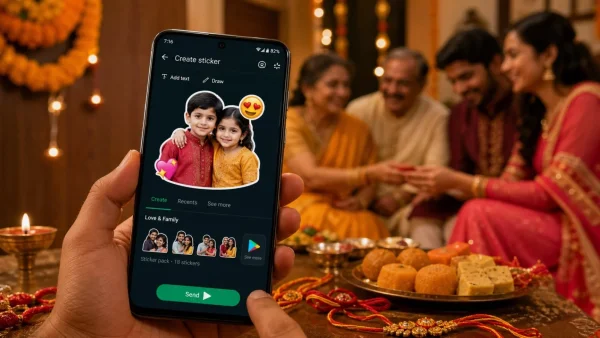
There is no call for extra apps to make your wishes count on WhatsApp come August 28, 2026. The app has you covered, allowing you to put together personalised stickers from your photo library; on Android you can even slip in a few festive packs in minutes. Here is the simple way to create, download and get them out there.
Why custom stickers matter this Raksha Bandhan
There is something more intimate about a sticker of a sibling than any stock graphic. With one tap you are conveying mood and context along with your message, ideal for those active family groups.
Be it a new shot, a throwback or someone in ethnic attire, a little editing turns it into a greeting you can use again and again.
Create personalised stickers on Android inside WhatsApp
Head to the Stickers section in any open WhatsApp chat and hit Create. From there go to Create > Recents > See more > Photos to find an image in your gallery or take one on the spot.
The preview screen gives you the tools to work with. Put in a text message, draw on the sticker for effect or throw in an emoji for fun. Should you want to start over, Dismiss will do it. Otherwise, when you are happy with it, just Send.
Quick Android tips
A picture in traditional wear lends itself to a festive feel. In a group chat, stick to a short message and an emoji for the sake of clarity.
Make a sticker on iPhone directly in WhatsApp
If you are on iOS, open the app and tap the Stickers icon to select Create Sticker (you will see a landscape photo with a plus). Opt to Use a photo and make your selection from the gallery.
Pick a style from the preview. You can write your line for Raksha Bandhan with Add text to sticker, place an emoji, or use Draw on sticker to add detail. Undo if you need to reverse course, or Dismiss to cancel. Tap Send to be done with it.
Prefer ready-made packs? Add and send on Android
Then festival packs are the easy option for a splash of colour. They are on the Google Play Store and once you have them they slot right into WhatsApp.
Here are the essentials for downloading a pack:
– Open the Google Play Store on your phone
– Put ‘Raksha Bandhan WhatsApp Stickers’ in the search bar
– Find one to your liking and install
– Hit the + icon or Add to WhatsApp
– Confirm and the pack is added
From then on it is a matter of opening a chat, going to the emoji icon by the message box and switching to your Raksha Bandhan pack. It is just as straightforward in a group as it is in an individual conversation.
Safety and quality checks for sticker packs
It pays to observe a few basics before installing to keep things in order:
– Go with developers who have good ratings
– While most are without charge, expect to see ads in some
– Some apps will have optional premium offerings
What to send and when
A morning wish is well received in the larger family groups, but save the personalised sibling sticker for a direct chat. Let the image speak for itself with minimal text and an emoji or two.
Put together a small assortment if you can: a formal one, a playful jab and a photo-based sticker. They will see plenty of use in different conversations later in the day.
Bottom line
You might be adding a themed pack from Google Play or turning a favourite photo into a WhatsApp sticker on Android, but the end is the same: you have a quicker, warmer way to say hello for Raksha Bandhan. Make your wishes as special as the bond being celebrated by creating once and sharing often.