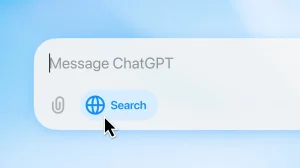

In practice, ChatGPT for Mac will go through your iMessages to put what you need in front of you or even send off a response. OpenAI touts the convenience of having the feature run locally with several opt-ins required. Yet there is an old familiar worry when you hand over an AI the keys to your most private exchanges.
What you can do with ChatGPT inside Messages
If you are a busy person with too many open chats, the value is plain to see. The assistant can be put to work drafting a considered response or pulling together a summary of a long thread. In some instances it will send the message for you, making it more of an aide than a passive tool.
OpenAI claims the integration is capable of mashing up data from different apps to get things done. It might look at your calendar to suggest a time for dinner, or flag a birthday in a message for you to put in the calendar. It can also point out spam worth deleting.
The assistant is built to deliver on these sorts of everyday tasks:
– Find details in an old chat in a matter of seconds
– Put forward times after checking your calendar
– Write a polite, context-sensitive reply
– Mark off anything that has the hallmarks of spam
Why this raises new privacy questions
An iMessage thread is rarely just idle chatter. You have work talk, travel plans, financials, addresses, passwords and OTPs in there. To let a chatbot in on all of that is to raise the stakes considerably.
OpenAI is keen to stress the safeguards in place. They say the Messages integration makes use of AppleScript and Accessibility features in macOS, running right on the Mac. It does not come on by default and will not make an index of every conversation without the user opting in at various stages.
Apple has drawn similar lines with other data types. Take the recent support for analysing Health app information on iPhone and iPad: Apple will have you explicitly approve any sharing of that. OpenAI points to that as precedent.
Those protections are what govern access to Messages, according to OpenAI:
– Your Mac handles the processing
– You will be prompted for permission more than once
– Full Disk Access in System Settings is a must
– Further permissions for contacts and automation
– There is no automatic indexing of your conversations
How to enable it on your Mac
It is not going to happen unless you put it in motion. Inside the ChatGPT app you have to give your approval, then grant the necessary rights at the system level in macOS. When you set it up, the app will make clear it can get at your message history and that you will have to turn on Full Disk Access.
For those on the desktop with the plugin-based experience, the feature is there in ChatGPT Work and Codex. Go to Plugins > Public to install Messages and you can prompt the tool to work with your conversations. Bear in mind you may have to allow extra permissions for contact names and the like if you want ChatGPT to act within Messages.
A new fault line in the Apple-OpenAI relationship
There is some tension in the air. Apple filed suit against OpenAI last month over what it says is the AI firm’s acquisition of information on products not yet released. An assistant that can read and write via one of Apple’s main services is bound to add to the friction.
Then there is the matter of Siri. Apple has been developing its own way for the first-party assistant to get at content on a user’s device. How one distinguishes between that and a third party like OpenAI could well become a bigger issue.
Apple has shown it will defend iMessage before. Beeper Mini was put out of business for giving Android users a way in. With ChatGPT, however, the access is predicated on the user granting it, not an open door to an iPhone’s communications.
The bottom line
You are looking at a new kind of deal in consumer AI. There is speed and automation to be had, but with sensitive data on the table, the price of an error is steeper. The tool is only as good as the permissions you give it; control is yours for the taking.
The risks are as real as the benefits. As these assistants get more embedded in personal software, the scrutiny will intensify. One can expect a closer look at what is processed on the device and what is not, and how plainly the terms are laid out before you hit Allow.