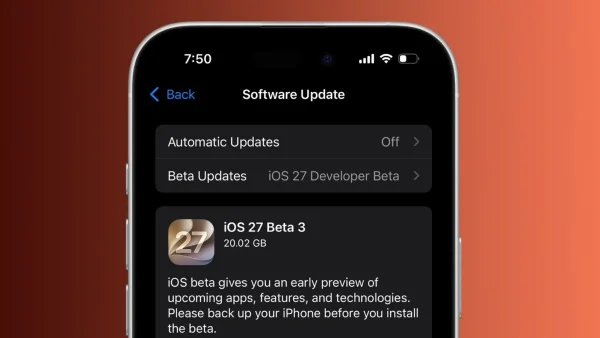
Apple’s iOS 27 public beta is live, and the headline act is Siri AI. Early adopters can now test Apple’s rebuilt assistant, which promises smarter conversations, in-app actions and on-screen awareness. The beta also brings speed boosts and usability tweaks that could change how your iPhone feels day to day.
Why Siri AI could change daily iPhone use
Siri finally behaves like a capable helper rather than a command receiver. Apple says Siri AI can keep context across follow-up questions, read what is on your screen, and act inside apps. It can also search personal information across Mail, Messages, Notes, Reminders, Calendar and other apps.
The assistant now has its own app and runs on Google’s Gemini AI models. Chat history is stored via iCloud, and you can adjust Siri’s pace and expressivity to match your preference. The pitch is simple: a voice assistant that understands your world should help you get more done with less friction.
There are important caveats you should know before jumping in:
– You need an iPhone 15 Pro or newer
– It supports select English variants only
– It is not available in the EU
– Access begins via a waitlist
To start using it, go to Settings > Apple Intelligence & Siri > Try New Siri and join the queue. Some testers have reported waits close to two weeks, though others have been admitted within an hour. Either way, this is an early look, not the finished article.
Speed and system polish across all devices
Even if you are not focused on AI, iOS 27 brings meaningful performance gains. According to Apple, apps can launch up to 30 per cent faster. Newly captured photos can appear up to 70 per cent faster. AirDrop transfers can be up to 80 per cent faster.
These improvements aim to benefit older devices too, not only the latest iPhones. You should also see more reliable connectivity when moving between Wi-Fi and mobile data, reducing those frustrating dead zones as you leave home or office.
Liquid Glass, last year’s contentious visual effect, now has a practical slider. You can tune it from ultra-clear to fully tinted for better readability. It is a small control that can make the interface feel more personal and easier on the eyes.
Upgrades to Photos, Safari and everyday apps
Apple has expanded AI tools within Photos. A stronger Clean Up tool excels at removing unwanted objects. Extend lets you expand the canvas with AI, and Spatial Reframing helps adjust the apparent camera position after a shot is taken.
Safari is getting smarter about organisation and automation. It can group tabs by topic, bundle bookmarks and Reading List items, track webpages for changes and even build a tailored extension from a plain-English prompt. These changes are designed to save time without adding complexity.
Productivity sees a quiet uplift too. The Passwords app can automatically replace eligible weak or compromised passwords. Shortcuts can build automations from natural-language requests. Calendar supports plain-English event creation. Siri can help with writing, and iOS will offer automatic grammar fixes alongside spelling corrections.
Family features receive attention with a refreshed Screen Time experience and child safety updates. Messages can continue sending large media in the background, while Photos finally supports full-resolution Shared Albums with more contribution options. Years after Android, you can now adjust the alarm volume separately from the system volume. AirPods users get a custom equaliser for lows, mids and highs.
Who can try it and how to install
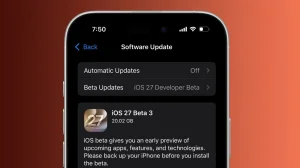
The iOS 27 public beta is free to download and does not require a developer account. It supports every iPhone that runs iOS 26, including iPhone 11 and newer, along with the iPhone SE (2nd generation and later). Apple advises backing up your device first, as beta software can have bugs, reduced battery life and app issues.
If you want in, the process is straightforward:
– Visit Apple’s iOS beta page in Safari on your iPhone
– Sign in with the Apple Account on your device
– Accept the beta software agreement if prompted
– Go to Settings > General > Software Update to install
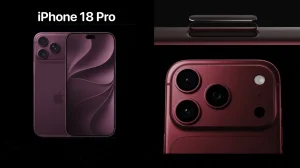
This beta offers a preview of what is coming with the full iOS 27 release, which is expected to debut alongside the iPhone 18 Pro, likely in September this year. Until then, Apple is inviting feedback from real-world use to iron out issues before launch.
What about iPad, Mac, Watch and more
Apple has also released public betas for iPadOS 27, macOS 27 Golden Gate, watchOS 27, tvOS 27 and visionOS 27. On the Mac, Golden Gate leans on Siri as a work aide you can invoke from Spotlight, with on-screen awareness and writing help. Design tweaks include uniform toolbars, edge-to-edge sidebars and cleaner menu bar icons.
watchOS 27 brings Siri to the wrist in a bigger way, a logical place for quick voice interactions. A Dynamic App Grid helps surface what you need, and Workout Buddy can run without an iPhone nearby. iPadOS 27 inherits iPhone features and adds two notable perks: Visual Intelligence that works with Apple Pencil, and external SSD transfers up to five times faster.
The bottom line: iOS 27’s public beta is about more than a new coat of paint. With Siri AI promising context-aware help and the system itself feeling faster and more flexible, this preview hints at an iPhone experience that is both quicker and more capable. Just remember, it is still beta software. Back up, install carefully and expect rough edges.