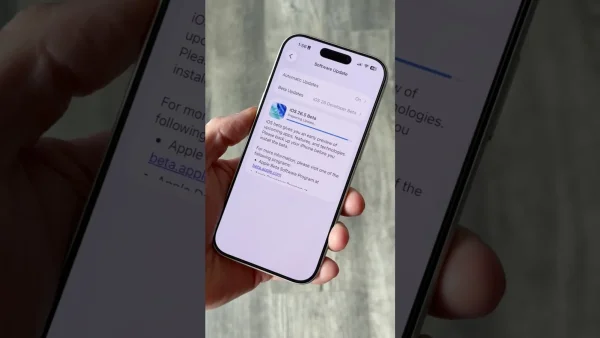
The iOS 26.5 developer beta has a number of useful changes and gives us a clue about what Apple has planned for later. It’s mostly about changes to Maps, making messages more secure between different types of phones, and allowing more accessories to work with iPhones. It looks like the big Siri AI improvements won’t show up until iOS 27, which we’re likely to hear about at WWDC 2026.
Key features introduced in iOS 26.5 beta
This 26.5 beta has both things you’ll notice right away and work going on “under the hood” to get things ready for future features. It’s all about getting different systems to work together, keeping messages safe, and small improvements to the phone. Developers and people who really like to play with their devices will find things in it that set the phone up for bigger changes later in the year.
The update also brings back some things that were taken away in earlier test versions, and changes how the keyboard and accessories behave. Apple hopes to have these features working reliably for everyone in the next few weeks.
Apple Maps: Suggested Places and ad groundwork
In Apple Maps, there’s now a “Suggested Places” section, which will tell you about locations nearby that are popular or that you’ve recently searched for. The idea is to help you find useful places when you’re exploring somewhere or planning a trip. These suggestions show up with your normal search results and the listings on the map.
The code in this version is also getting ready for ads in Apple Maps. Businesses will be able to pay to have their place shown in search results and in the “Suggested Places” list, and these ads will be clearly marked as “ad”. The ads will be based on roughly where you are, what you’re searching for, and what part of the map you’re looking at; they should appear this summer.
RCS end-to-end encryption for cross-platform messaging
A big step up for security in iOS t6.5 is that RCS messages between iPhones and Android phones are now end-to-end encrypted. You’ll find the setting to turn it on (and it is on by default in this beta) in Settings under Messages. When it’s on, conversations between iPhones and Androids will be protected as well as iMessages.
They had added and then removed this feature before during testing, but bringing it back shows Apple is really focused on keeping things private when you’re talking to someone on another type of phone. Once both phones support this secure system, it should be harder for anyone else to read your RCS texts.
EU interoperability and third-party wearable support
Because of what the government requires, Apple is letting more third-party accessories work with iPhones. The beta includes a simple way to connect earbuds that aren’t made by Apple with just one tap, just like AirPods. This should make it much easier to set up headphones from other brands.
Smartwatches from other companies and similar accessories can now get “Live Activities” which show you the same up-to-the-minute information as your iPhone. And more notifications are going to be sent to these accessories. Just so you know, if you send notifications to another watch, the alerts will stop showing up on your Apple Watch too, so you don’t get the same thing twice.
Smaller tweaks, stability fixes, and what is missing
iOS 26.5 beta has some handy little improvements: a new menu for sending attachments with your texts, the ability to copy just the last 30 days or one year of those attachments, and Magic Accessories will automatically pair with your phone over USB-C when you plug them in. It also adds a keyboard for Inuktitut, and new ways to pay for subscriptions in the App Store.
The beta is build 23F5043g and is a little over 8 GB on the newest phones it will work with. And, it doesn’t have the Siri upgrade that many people were expecting, the one that’s powered by Gemini. Those AI features for Siri are now planned for iOS 27 after the WWDC 2026 presentation.
How to download the iOS 26.5 developer beta
Right now, the iOS 26.5 developer beta is only for Apple developers who have registered. To get it, you need to join the Apple Developer Program at developer.apple.com and register your phone with a development profile. Then, go to Settings > General > Software Update > Beta Updates and pick iOS 26 Developer Beta.
Before you install any beta version, make a backup of your iPhone. And if you really need your phone for work, it’s a good idea to install the update on a second phone. A beta version for the public (anyone) is coming in a few weeks, and that will let more people try it out.