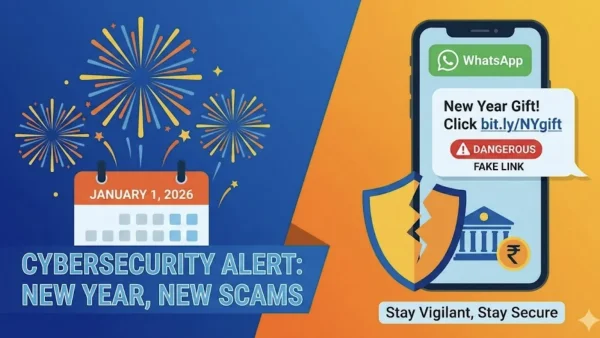
The cybersecurity units of India are releasing alerts regarding a deadly WhatsApp link that can empty the bank accounts. The warning comes as the messages or forwards for the Christmas season and New Year include a dangerous link that can embed malware into the Android phones. The loss here could be of the accounts, the OTPs, and even taking control of the WhatsApp account.
The process of scamming
Generally, the scam is through a happy new year or discount communication. Such a message, therefore, includes a link that will direct you to a Website that contains a masked APK file but the web hosting it is different.
The visiting, in earnestness, will provoke a pop-up window for downloading an APK file – very often ‘Happy New Year.apk’, among others that are seemingly harmless. The following installation would enable the malware to subvert the security measures and be on the phone without causing the user any other knowledge.
Once the malware is onto the system, the malware can infiltrate the keystrokes, sneak on messages, rob banking credentials and OTPs, and even extract the privacy files. Attackers might as well have full control over the WhatsApp, sending the same malicious link to everyone in your contact list and so multiplying the attack.
The authorities further say that the attackers more often than not start by compromising one account and then proceed to distribute the message so that it appears to the recipient as if a known person sent it. This helps in building trust as the recipients believe the link is safe and thus click it.
What makes the risk of attack even riskier during the festival time
It is the festival season that normally sees a high load of messaging activity and very frequent impulsive clicks. Hackers take advantage of the festive atmosphere and the warm and cheerful greetings sent during the holiday to trick users into unsuspecting. The incidences of encountering non-existent offers and dangerous links relatively soar during these periods.
Messaging applications have long been recognized as a handy tool for wide-scale dissemination. Predators, on the other hand, capitalise on this by making use of abridged URLs, phoney domains, and APKs that mimic authentic applications. The Android area is the most threatened group because APKs can be transferred from non-official app platforms.
Effective measures to safeguard bank accounts
Never click on links from senders you know or trust. Even if the message is inviting, do not click on videos, funny pictures, or songs.
Do not take APKs or applications from the internet. Follow the official app stores and activate the Android Play Protect on your devices. The Play Store has safe mechanisms that prevent the entry of such apps.
Turn on the two-layer security authentication on your banking accounts and chat messengers. For this purpose, make use of the app-generated PIN, your biometric data or fingerprint, and make sure your passwords are complex and different for every account.
At all times keep your mobile’s operating system and applications up-to-date. The reason behind it is that security fixes in software make it hard for malicious software to succeed in getting into your device, as it eliminates the bugs which it uses.
Monitor bank transactions and set up instant alerts for the withdrawal of money. Whenever you detect a suspicious transaction, immediately get in touch with the bank and do not forget to block those cards or accounts which are affected.
Make use of security features such as mobile antivirus and anti-malware apps that have a good reputation to prevent and detect unauthorized access to the device and to stop the download of malware. Periodically check app permissions and de-install un-known apps.
In situations where you have a feeling that someone has taken over your account, the first step is to log out from all web sessions that could be open. Secondly, go to your account settings and disconnect all active devices from there. Thirdly, using an uncompromised device, change passwords. Think about data backing up and factory resetting but only after a thorough consultation with the technician in case the malware is still present.

How to Verify Suspicious Messages
Before clicking on unknown links, make sure the source is legitimate, use another way to reach the sender, like via a phone call. Also, take your time and go through the link very carefully: if the domain is too long, sounds weird or misspelled, or there are too many shorteners, these are red bu
It is important to be cautious with the use of public Wi-Fi when dealing with delicate information. The use of a VPN is highly recommended to achieve additional safety and confidentiality especially in the case of unsecured networks.
Report and respond
The scam should be reported immediately to the local cybercrime helpline or the national cybercrime portal at cybercrime.gov.in if you find it. Authorities recommend that you call the cybercrime helpline if you feel that you have become a target.
Being cautious while celebrating the New Year will be a great way to protect your money. By adopting some simple habits such as not clicking on unknown links, avoiding third-party apps, enabling two-factor authentication, and keeping software updated, you will be able to lower your risk level.