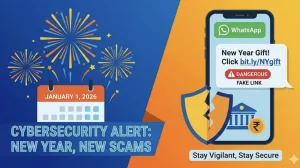
The cybersecurity body has put out an urgent word of caution for those on WhatsApp’s web and desktop versions. They are warning of a campaign where malware is being peddled through the good offices of trusted contacts. It is a matter of stopping credential theft and any kind of business hiccups; the risks in your normal messaging have been on the rise, so the agency is making it a point to have you double-check what you open.
Why this is a big deal for WhatsApp on desktop
According to CERT-In, there is a sizeable campaign at work that is making use of WhatsApp’s cross-platform ease to get to you on the web or desktop. Since the message is from someone in your address book, it doesn’t stand out, which makes for a higher chance of you being taken in, especially if you are in the habit of sharing files.
It is a time when the boundary between your work and personal life on the app is thin. A good infection can mean a lot of trouble, says the agency: they can get into your device, steal your logins, plant more malware, infect the network and cost you money.
How they get the better of you
In a June 25th advisory, CERT-In put it on record that bad actors are moving some nasty VBScript files around in direct messages. This is based on what Kaspersky and Securelist have turned up: they are using hijacked WhatsApp accounts to pass these along to the account holder’s contacts.
When a threat actor is behind the wheel of a real account, the message has a ring of truth to it. You see a name you recognise and are apt to download it, all too often on a desktop where you are used to dealing with documents. Let it run and you have given a cybercriminal the keys to your machine.
These are the main things CERT-In is pointing to:
– Your device ends up under their control
– Credentials are offed for fraud
– It can make its way over to other parts of the network
What CERT-In is saying to do now
Their line is simple: if you weren’t expecting an attachment, it’s suspicious, no matter who it is from. Before you click on anything in WhatsApp Web or Desktop, they say to go and confirm with the person who sent it.
If something seems a bit off, hold your horses. And as for the rest, you have to keep your apps and systems in order to stay out of trouble.
To be on the safe side, here is what to do:
– Leave unexpected files alone
– Put in a call or a text to make sure it’s legit
– Don’t let odd phrasing slide by
– Stay on top of your updates
A hardening of the rules in India
You can see this as part of a sterner approach to cyber security in India. Back on the 10th of June, CERT-In ratcheted up the compliance for OEMs like phone and PC makers, with the rise in AI-driven attacks in mind.
Put the new rules and this WhatsApp notice side by side and you can see a move toward tighter controls on the software we use every day. The idea is that you can’t just take trust for granted, even in a chat with an old contact.
Where that leaves you and your company
The onus is on you to verify. For an individual, it’s about not rushing in. For a firm, the stakes are higher since one wrong move on a desktop can have repercussions for the whole operation.
Attackers are using our own contacts to get under our skin, so you can’t afford to be lax on WhatsApp Web or Desktop. A quick check with the sender is the easiest way to head off a costly problem.