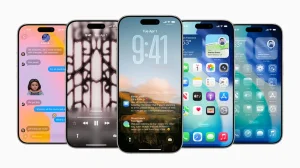
Take Voice Control, for instance. You don’t have to remember the exact name of a setting anymore. It’s been made to understand how you talk, which is a big deal for those with physical limitations who can now trade in fiddly swipes for a simple, spoken order.
There’s a lot of emphasis on that privacy angle. By running things on-device, you’re not as dependent on outside servers. If you’re dealing with anything personal or sensitive, it’s a way to put your mind at ease.
Seeing more with VoiceOver and Magnifier
We’ve also given VoiceOver a facelift with something called Image Explorer. It doesn’t just put a label on an object; it will walk you through a photo, a bill or a chart in a way that gives blind or low-vision users a better sense of what they’re looking at. And if you have a supported iPhone, you can hit the Action button and have the phone tell you what it sees in real time. It takes the guesswork out of things like reading over a menu.
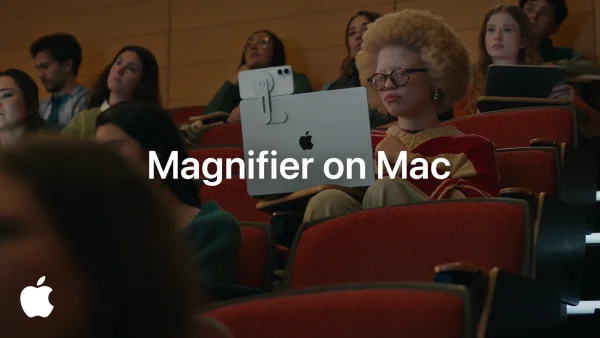
Then there’s Magnifier. You can now use it hands-free with voice commands to zoom in or turn on the light, and the interface has been put in high-contrast for better visibility.
For quick reference, here is how the new Magnifier approach helps:
– Speak a command instead of tapping tiny targets
– Keep focus with high-contrast, voice-guided prompts
– Act faster in low light with hands-free flashlight
Hearing and reading get on-device intelligence
If a video doesn’t have captions, your Apple gear will make them for you. It uses on-device speech recognition to put words on the screen for any clip, livestream or video you put on, and you can tweak how they look in your settings.
The new Accessibility Reader is less of a pain in the neck when it comes to complicated documents. Whether it’s a scientific paper with tables or a multi-column layout, it handles it. It can even boil down a long piece and translate it for you without messing up the formatting.
Vision Pro control and ecosystem updates
On the mobility front, we have a way to run a power wheelchair with your eyes using the Vision Pro. We’re starting with Tolt and LUCI in the U.S., with a connection via Bluetooth or a cable. The headset is also getting some Dwell Control and face gesture work, while tvOS is being given some bigger text for the living room.
Even for the gamers out there, the Sony Access Controller is now an option on iPhone, iPad and Mac.
An accessory designed for grip support
And for those who find it hard to get a good hold on their phone, we have the Hikawa Grip & Stand. Bailey Hikawa put this together with input from people who have grip and mobility issues, and you can pick it up in three new colours on the Apple Store Online.
Why Apple Intelligence shifts accessibility from add-on to assistant
All in all, this is part of a plan to move the heavy lifting of accessibility to smart, on-device systems. It’s about making what used to be a chore into something you can do in a second.