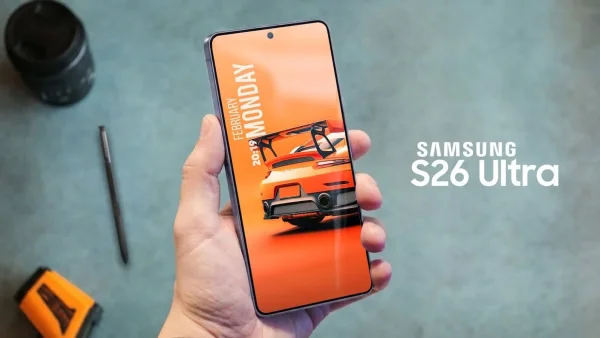
Samsung’s Ultra phones have always been where Samsung puts its best technology, and the Galaxy S26 Ultra continues that tradition. It doesn’t pretend to completely change things, it looks quite similar to the last one, and the changes are fairly small. However, a handful of useful additions make it a more polished and comfortable flagship phone deserving of its place as one of the best.
Design and Display
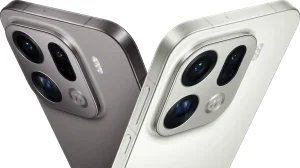
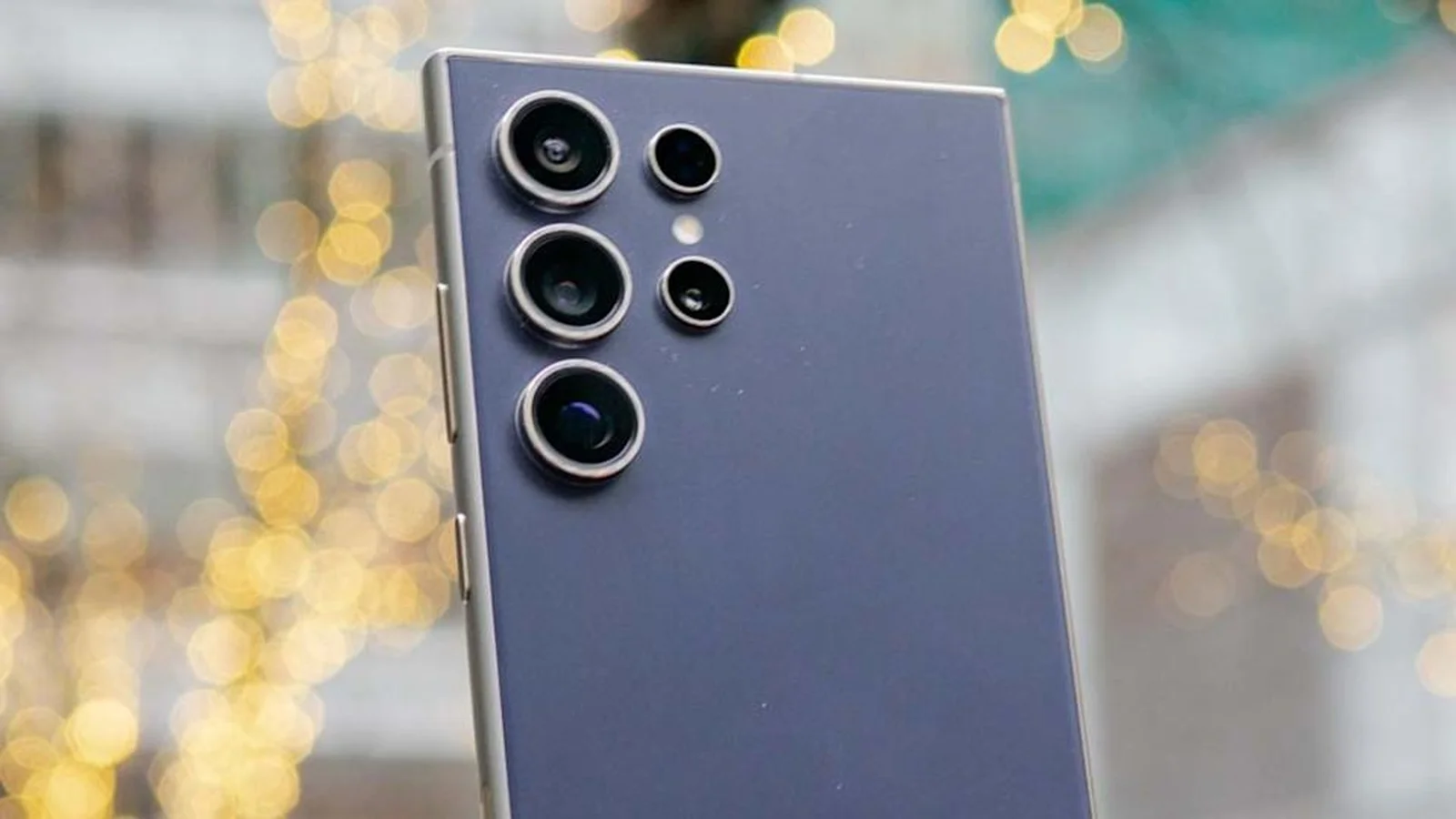
When you first pick up the Galaxy S26 Ultra, it feels like a slightly improved version of last year’s. The metal frame around the phone is a little thinner and lighter, the corners are a bit more rounded for a more comfortable grip. The metal feels strong, it’s still waterproof (IP68 rating) and the back cameras are now on a slightly raised section.
That raised section looks good, but does cause the phone to wobble a bit when on a flat surface. Otherwise, the phone looks expensive but isn’t overly showy. The S Pen stylus still goes into the bottom of the phone smoothly, and stays there, keeping the look of the Ultra.
On the front is a 6.9-inch Dynamic LTPO AMOLED 2X screen with a 120Hz refresh rate and HDR10+ support. It’s bright, vivid, and responds quickly, getting up to around 2600 nits. Colors are rich but not too much, and the coating to reduce reflections helps when you’re outside.
One thing to be aware of is the PWM dimming. Other top phones have higher PWM rates (this refers to how the screen brightness is adjusted), and this can be important to people who are sensitive to screen flickering. Most people won’t notice it, but if you’ve had problems with PWM before, it’s something to consider.
Privacy Display: a meaningful innovation
The biggest new feature is the Privacy Display, and it’s more useful than it sounds. When turned on, the viewing angle gets narrower so people looking at your screen from the side just see a dark, unreadable image. When you look straight at it, the content appears as normal, but from the sides it fades away.
You can turn this on for the whole phone or for individual apps. This is great for things like banking, password apps or anything where you want to be sure no one else is seeing your information when you’re in public. There’s also a “maximum protection” mode which makes the viewing angle even narrower, though it does make the image a little dimmer and softer.
When you actually use it, having it turn on automatically is best. Set it for apps that need it and then forget about it. It’s like a privacy screen protector you can turn on and off, and once you’ve used it, you’ll keep using it.
Cameras and Video
Samsung continues to use four cameras: a 200MP main camera, a 50MP ultrawide, a 10MP 3x telephoto, and a 50MP 5x periscope telephoto. The main and 5x telephoto cameras have wider openings (apertures) this year, which helps with pictures in low light. The front camera for selfies is 12MP.
The quality of the pictures is consistently good. The S26 Ultra focuses on detail and gives a natural look to most photos. The 5x zoom is the best of the bunch, giving you clear pictures of things in the middle distance to far away, with better texture than many other phones. Portraits and selfies look nice and skin tones are more accurate.
Video gets a particularly good improvement with Horizon Lock. It keeps the video stable and level even when you tilt or turn the phone, and it works at t4K resolution. It’s like having a small stabilizer in your pocket. If you push it too far, you might see a few small problems, but overall it’s really good and useful.
Video in low light also benefits from the wider opening and better processing, giving you brighter and clearer footage. All in all, the camera system isn’t a huge change, but it’s consistent, does a lot of things well and gives you confidence when using any of the lenses in any lighting.
Software, AI, and Ecosystem
The Galaxy S26 Ultra comes with One UI 8.5 which is based on Android 16, and it shows that Samsung’s software has improved and is now very stable. The screen is nice to use and you can change it to how you like it. Samsung’s Quick Panel is more flexible and the standard apps have been improved in a subtle way. Samsung says it will provide software and security updates for seven years, which is excellent for a phone that will last a long time.
Artificial Intelligence is now part of everything you do. Galaxy AI works with Google’s services and you can use both Bixby and Gemini. New tools called Now Nudge and Now Assist work out what you’re doing on your phone and suggest things to do, like putting a meeting in your calendar or choosing photos to share.
Call Screen will answer calls from numbers you don’t know and display what the caller is saying in text, stopping you getting interrupted by spam. The Creative Studio and Photo Assist within the Gallery app use “generative” editing. You can change the sky in a photo, remove things you don’t want, or make fun combinations of images by typing in what you want. Built in safety features will stop you from making requests that could be dangerous or inappropriate.
Samsung’s range of devices as a whole still makes it stand out. DeX turns your phone into a computer-like workspace on a monitor. Secure Folder makes a safe place for apps and information that’s private. And if you have a Galaxy Watch, Buds, a Samsung laptop or tablet, being able to use them together adds useful benefits to your everyday life.
Performance and Battery Life
The S26 Ultra has the Snapdragon 8 Elite Gen 5 for Galaxy processor, with 12GB of RAM in the basic version and you can get up to 1TB of storage. A larger cooling system helps keep it performing well. When you’re actually using the phone, the S26 Ultra responds immediately, whether you’re doing a lot of things at once or editing photos and videos.
Games run quickly and smoothly, although like most phones, it can slow down if you play very demanding games for a long time. Even then, the speed of the game and the phone’s temperature are well controlled when you’re actually playing. More importantly, the Neural Processing Unit (NPU) has been improved, which speeds up AI work on the phone and helps with image processing and smart features with less delay.
The battery is still 5,000mAh. Because it’s more efficient, most people will easily get a full day out of it, and perhaps into the next morning with lighter use. Charging is finally faster: 60W with a cable and 25W wirelessly. With a USB-PD PPS power adapter, you should get about half a charge in 15 minutes.
The phone doesn’t have magnets inside to automatically line up with Qi2 wireless charging. You can use a MagSafe type case for magnetic chargers and holders, but the phone itself doesn’t have the lining-up pins. If you use magnetic accessories, you’ll need a case.
Pros and Cons
The good points are: the Privacy Display really improves how private your screen is when you’re out and about, it’s very fast and doesn’t get too hot, the camera is very good and flexible with a great 5x zoom, the AI features are helpful and Samsung’s range of products works very well together, the battery life is good and it charges faster with 60W, and you’ll get software and security updates for seven years. The downsides are: it doesn’t have magnetic Qi2 alignment built in, the internal parts aren’t that much of an upgrade from last year’s model, the camera bump on the back makes the phone wobble when it’s on a flat surface, the way the screen brightness is dimmed (PWM) might bother some people, and the S Pen is still only used by a few people and doesn’t do as much when you’re not touching the screen.
Verdict
The Samsung Galaxy S26 Ultra is a good example of the whole being more important than its parts. Looking at the specifications, it’s a careful improvement. But when you’re holding it, it’s one of the best Android phones you can buy. Privacy Display is really useful, the cameras are reliable, it’s very fast, and One UI 8.5 (Samsung’s software) brings everything together and will be supported for a long time.
If you have an S25 Ultra, you don’t need to upgrade. But if you have anything older, the S26 Ultra is a confident and long-lasting upgrade. If you’re deciding between this and an iPhone or Pixel, the decision will often be about which company’s devices and services you prefer. On Android, no phone combines the hardware, software, AI and accessories as effectively as Samsung.
To put it simply, the Galaxy S26 Ultra isn’t trying to be shocking, but it gets most things right. Because it’s a great all-round phone, it should be near the top of your list.