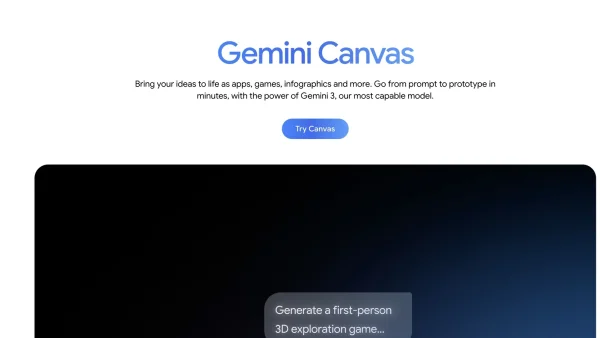
Google is making Search into not just a way to get answers, but also a place to build. The company has made Gemini’s Canvas in AI Mode available to everyone in the United States who uses English; it started as a Labs test. Canvas provides a workspace that’s always there, right next to Search, and helps you plan projects, make drafts of documents, and even put together prototypes that work, all without leaving the page of search results.
What Gemini’s Canvas in AI Mode Does For Google Search
Canvas isn’t just a chat window, it’s made to be a place for organised creation. It can help you get your research in order, put together information from sources, and turn thoughts into things you can actually see. For example, you could make study guides, outlines, summaries, and well-written documents that are based on what you’ve already looked at.
The feature can also turn a research report into a webpage, a quiz, or an audio summary. This is similar to Google’s tools for doing research, but it keeps everything in the Search experience you’re already used to.
People who write can paste in drafts, get feedback, and change the structure, the way it sounds, and how clear it is. Canvas keeps versions of changes so you can see what you’ve changed, go back, and make your work better with less trouble.
How Canvas Works Inside AI Mode
To start Canvas, go into AI Mode in Google Search and choose the Canvas option from the tool menu with the plus sign on it. A panel opens beside your results, giving you a workspace that stays with you as you search.
From there, you can get information from the internet and Google’s Knowledge Graph to make sure your project is based in reality. Ask for summaries, get the main facts, and save links so you can see where each idea came from.
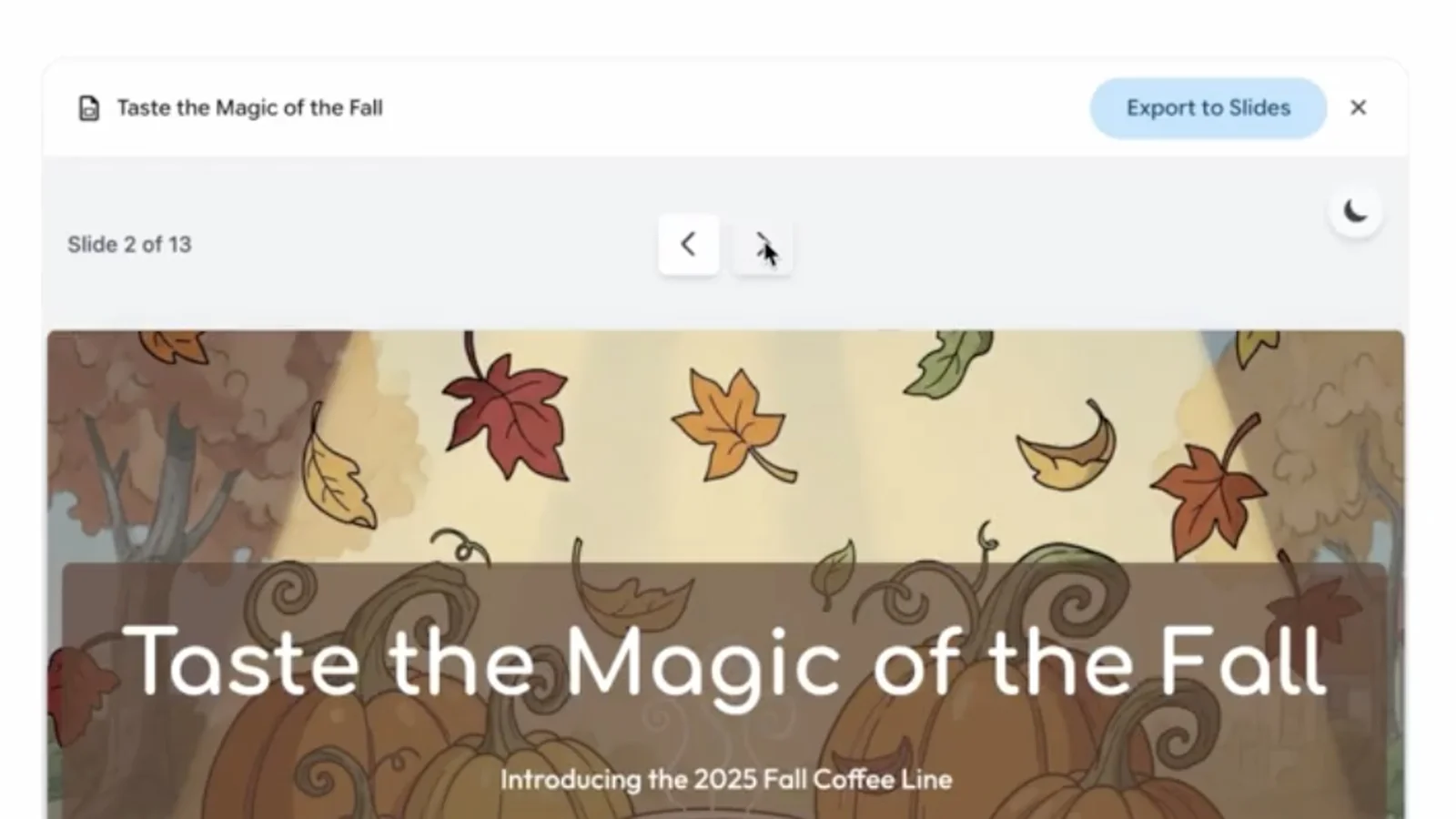
When you’re ready to make something, say what you need and watch Canvas make first drafts that you can change. Because it’s in Search, you can check your sources as you go and keep the way you’re thinking straight. It cuts down on the copy and paste work that usually makes complicated tasks take longer.
From Idea to App: Tools Included for Builders
What Canvas is really good at is moving from words to tools. Describe what you want a habit tracker, flashcard maker, or simple game to be, and Canvas can make the code, show how it works, and get a test version going in the same place.
You can switch between the model and the code that was made, change things, and ask Gemini to change how it works using everyday language. Want to add a field, make sure the information put in is correct, or change how it looks? You can make those changes without having to start over.
It isn’t a complete development environment, but it does make it much easier to build a working idea. That fast process of going from idea to something you can use makes Canvas a good first step for people who don’t program and a quick sketchpad for engineers.
Where Gemini Fits: Models and Context Windows
Canvas is already in Gemini, where people who pay for Google AI Pro and Google AI Ultra can get the newest Gemini 3 model and a context window of 1 million tokens – much bigger. That extra context is good for long research times, big sets of code, and projects with many documents.
By putting Canvas into AI Mode in Search, Google is letting more people use the workspace, people who may not have tried a chatbot on its own. Regular users can plan a trip, get ready for a lesson, or write a proposal without leaving the Search page they know.
People who need the most context and the best features can still get them by going to Gemini. For a lot of projects, however, the free access within Search will do perfectly well to get you from doing research to getting something finished.
How It Compares to ChatGPT and Claude
Canvas is like the creation areas from OpenAI and Anthropic. ChatGPT’s Canvas feature will often show up on its own when your request seems like a project – it gives you a place to write a draft, and you don’t have to click anything more. Claude from Anthropic usually needs you to set things up more clearly to work with files or make tools.
Google does things more on purpose within Search: you choose Canvas from the menu, and then work with Gemini in a neat panel. What makes it different is that it works with current search results and the Knowledge Graph, which can help make sure what it produces is based on up-to-date facts and things that are well-known.
That being based in real information is important if you’re putting together lesson plans, looking at the market, or writing policy papers. You are able to check what things say is true, find what’s missing, and keep track of where you got your information, which cuts down on needing to redo things and helps to keep it from making up things when you’re doing important work.
Use Cases That Make the Workspace Shine
Students can upload or point to class notes and things they’ve read, and then make study guides, flashcards for spaced repetition, and practice tests. With just a few requests, they can get a page they can share for group study, or an audio summary to study while they’re out and about.
People who make things on their own can turn a research series of posts into a visual explanation. Canvas can make a neat outline, a draft of the writing, and a simple sample web page, and an audio overview to make it accessible. The way it works keeps references close by.
Small businesses can get options for suppliers, details about places to have events, and guesses at the budget right from Search to make event plans. Then they can make a schedule, a form for people to sign up, and a simple web page, saving hours on planning.
People who like to tinker can make early versions of programs like budget trackers, workout logs, or recipe planners. By switching to see the code, they can learn as they go, trying out changes and asking Gemini to explain each change in normal language.
Quality, Safety, and Responsible Use
As with any system that makes things up, a person checking it is necessary. When Canvas makes code, check it for security problems, how it handles data, and how well it works. Try out important steps all the way through, especially if you plan to share a program with other people or get any private information from them.
For projects that need a lot of research, check the references and make sure the summaries really say what the sources say. Use the side panel to keep links and the context in view. If you’re dealing with sensitive subjects, add someone to check by hand and write down what you’re assuming and what the limits are.
Privacy is also important. Don’t paste private information into requests and be careful about what you choose to put out there. Think of Canvas as a strong tool that makes your skills better, but still needs your judgment to keep things good and safe.
Availability, Setup Tips, and What Comes Next
Canvas in AI Mode is available now to all users in the United States who are using English. To get going, switch to AI Mode in Google Search, tap the plus sign, choose Canvas, and say what you want to make. You can add sources, ask for an outline, and go from there.
To get better results, be clear about what your goals are, who you’re making it for, and what the limits are. Tell Canvas what sort of tone you want, what form you need, and what references have to be in it. When you’re making programs, describe the fields, what checks they should do, and what would make it work well, so Gemini can make a cleaner early version.
Google has not said when it will make it available in other countries, but it will probably become more widely available as the company goes on mixing research and making things inside Search. The plan is clear: move from answers to actions, putting a flexible AI workspace where billions of people already start their work.
This release shows a turning point for AI for people in general. By putting Gemini’s Canvas directly in Search, Google is guessing that normal users will expect to plan, write, and make early versions without going to other tabs. If it stays quick, based in real things, and clear, that guess could change how people learn, make, and share things on the internet.