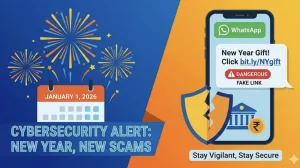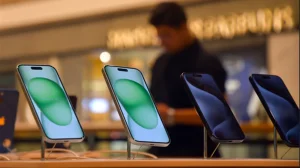

In a fresh alert, the I4C is pointing out how scammers are making a play for those few minutes of fluster after you’ve lost your iPhone. Posing as someone from Apple, they send out bogus alerts in an effort to get at your credentials and then unhook your account from the phone so you can’t get it back.
The new lure preys on panic
I4C has it that these operators are good at faking out notifications to catch you unawares. You might see a message that looks for all the world like it’s from Apple Support or ‘Find My iPhone’ telling you to do something right now to lock down the device.
It’s a one-way street to a well-made imitation website. Put in your Apple ID and the OTP, and the attackers are in. From there they can de-authorise the linked ID on the stolen unit and call the shots.
What I4C is reporting
The National Cybercrime Threat Analytics Unit, part of I4C under the Ministry of Home Affairs, says this is a campaign built on polished phishing links and a false sense of time. Their advisory makes note of pages that are near-identical to an Apple login, set up to siphon off your details and One-Time Passwords.
They also report that some of the ringleivers with a stolen iPhone in hand will fire off a phony SMS from a number. A lot of them will say the phone was put on standby or tell you to wipe your contacts and media in a hurry, just to get you to click.
Why this matters for iPhone recovery
If you let them have your Apple ID on the stolen hardware, you’re in trouble. With ‘Find My iPhone’ turned off and the ID gone, you lose the means to track or block the phone, and it’s fair game for a second life in the hands of someone else.
Don’t count on two-factor to be your saviour if you hand over the OTP on a made-up page. I4C will tell you the hackers ask for that code and use it on the spot to get around your defences.
Spotting the fake and staying safe
You can take it from the agency: don’t put any stock in a link from an unsolicited or worrying text. If you need to find or put a lid on a missing iPhone, I4C says to go to the ‘Find Devices’ service page and no other.
Here is what to run through before you make a move on an alert:
– Don’t be clicking on SMS links, particularly ones with an international header.
– Make use of the ‘Find Devices’ page from Apple.
– Have a good look at the URL before you type in anything.
– Be leery of any text from a plain number that is in a big rush for you to act.
A lot of these domains are designed to pass a quick once-over. If you have to log in, go to the Apple site on your own and check the URL letter for letter before you put in anything you shouldn’t.
What to do if you receive one
So you get a text saying your wayward iPhone is off or you need to nuke your data? Hold your horses. No clicking, no Apple ID, and keep the OTP to yourself. Head over to the ‘Find Devices’ page to see where things stand.
The I4C is firm on this: the scam works because you’re in a rush. Take a breath, ignore the link, and use the proper tools to stop an account from being hijacked.
That’s the tenor of the advisory. When a device is gone, you want to react to every ping. But unless you can vouch for the source and the web address, you’d do well to treat any message from Apple Support with a little scepticism.