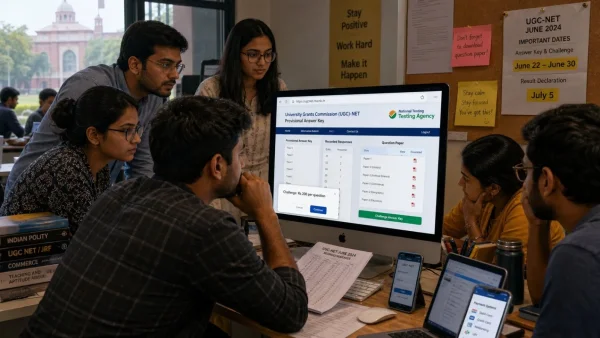
The National Testing Agency is ready to put the UGC NET June 2026 provisional answer key online, along with the response and question papers. For those with their sights on a JRF, an Assistant Professor post, or a PhD, this is the time to be sure of one’s answers and move forward. A challenge will run you Rs 200 per question.
Why this matters for campuses and candidates
When it comes to eligibility for the Junior Research Fellowship, Assistant Professor and PhD admissions at universities and colleges across India, UGC NET has the final say. Having a provisional key out on time lets a candidate put a number to his or her score. On the other side, a university can get a sense of how many seats are open and advise its departments accordingly.
Then there is the matter of transparency. The preview stage does a lot to put minds at ease. With the recorded responses in hand, a student can see where things may have gone wrong and, if there is cause, put in a challenge before the results are made official.
What will be released and how scoring works
NTA is set to put out three things: the provisional key, the paper, and what each candidate put down on screen. It is then up to the candidate to compare and figure out the likely score.
Under the UGC NET rules, a right answer is worth two marks. You do not lose points for a wrong or blank one, so there is no negative marking. In that case, a correct answer is pure gain, and it is well worth the effort to be precise.
Some of the key details from the board:
– The key will be on ugcnet.nta.nic.in
– Rs 200 to challenge a question
– Debit or credit card, net banking, UPI are all fine for payment
– Once paid, the fee is not returned
– If a challenge holds water, the final key is updated
– The result is drawn from that revised key
– Do not expect a personal note on whether an objection was overruled
Timeline and participation so far
By the numbers, close to 9.08 lakh people signed up for the exam. The CBT was held from June 22 to 30, 2026, with a re-exam on July 5. Now that the testing is done, the focus is on the key and the period to review it.
For the institutions, a clean and prompt resolution of any objections is what keeps the admission and hiring schedule in order, as well as the planning for fellowships and faculty.
How to access the answer key quickly
When the link is up, a quick and trouble-free download is best. One might want to follow this course of action:
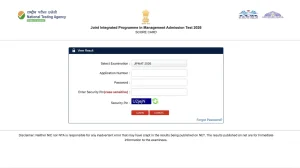
– Have the application number, DOB and password to hand
– Go to ugcnet.nta.nic.in
– Put in the login and security PIN
– Select ‘Answer Key’ or ‘View Response Sheet’
– Get the key, the sheet and the paper
– Put them away for later
Should the site be under heavy use, try during a lull and clear the cache. It is also wise to store the files in more than one spot to sidestep the need to re-download when everyone is in a rush to file a challenge.
What to do during the challenge window
If a candidate sees something amiss, the best approach is to put together some proof and object only to the questions in question. The window is open for a while, but not forever; better to avoid the last minute and the risk of a network hiccup or a failed transaction.
Once the experts have been over everything, the ones that stand up to scrutiny will be the only ones to change the key. There will be no word sent to the individual on the matter, so the website is where to look for news. The session is then wrapped up with the final result, based on the new key.