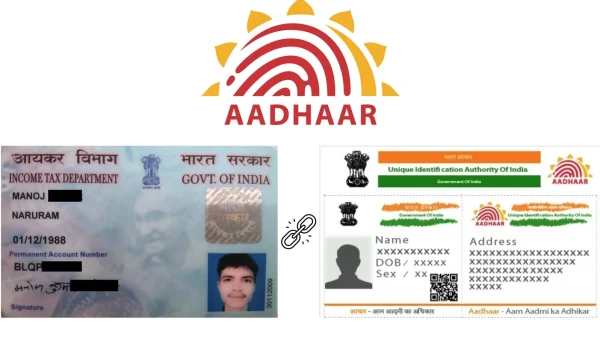
Linking your PAN and Aadhaar isn’t a choice anymore; the government requires it to make sure your tax affairs are in order and your PAN remains active. If you haven’t linked them yet, this explains the deadline, what will happen if you miss it, and the safest ways to link them.
PAN-Aadhaar linking last date: what you must know
The Central Board of Direct Taxes has said December 31, 2025, is the last day to link your PAN and Aadhaar.
If you got your Aadhaar on or before October 1, 2025, you have to link it to your PAN by December 31, 2025. If you don’t, your PAN will be stopped from working until you link them.
Why linking PAN and Aadhaar matters
Aadhaar is a 12-digit number given to you by UIDAI (Unique Identification Authority of India) which quickly and simply confirms your identity for many services, and doesn’t require lots of paperwork.
PAN is a 10-character identifier (letters and numbers) used for tax purposes. Linking your PAN and Aadhaar allows the tax department to keep track of your money and makes sure things aren’t copied or used incorrectly.
What happens if you miss the deadline
If your PAN is stopped from working (becomes inoperative) because it isn’t linked, there are some big problems until you link it: you can’t submit your Income Tax Return, the tax department won’t deal with returns you’ve already sent in, you won’t receive any tax refunds, you can’t correct errors in returns you’ve already submitted, and Tax Deduction at Source/Tax Collected at Source (TDS/TCS) might be taken from you at a higher percentage.
Before you start: keep these ready
To link them, you will need: your PAN number and date of birth as they are on your PAN card, your Aadhaar number and name as they are on your Aadhaar card, the mobile phone number registered with your Aadhaar (to receive a One Time Password or OTP), access to the Income Tax e-filing website, and details of any fees that need to be paid.
How to link PAN with Aadhaar online without login
Here’s how to link on the Income Tax website without logging in: go to www.incometax.gov.in, select “Link Aadhaar” under “Quick Links”, enter your PAN, Aadhaar, name as on Aadhaar, and phone number, tick the box to say you agree to let UIDAI check the details, complete the OTP verification, pay the fee if you’re asked, submit the information and keep a record of the acknowledgement number. This is a simple way to do it if you don’t want to sign in. Save screenshots or the acknowledgement for your own records.
How to link PAN with Aadhaar via the e-filing portal (with login)
To link through your e-filing account: go to www.incometax.gov.in, register if you haven’t already (your PAN is your User ID), log in with your PAN (User ID), password and date of birth. If a box pops up asking you to link, click “Link Now.” Or, go to “Profile Settings” and choose “Link Aadhaar”. Check the details of your PAN are correct and the same as on your Aadhaar. Enter your Aadhaar number and click “Link Now.” You should get a message saying the linking was successful.
How to check PAN-Aadhaar link status
To link online: go to www.incometax.gov.in and click "Link Aadhaar Status” under “Quick Links”. Enter your PAN and Aadhaar numbers and click “View Link Aadhaar Status”. The status will be one of these: “Linked” (your PAN and Aadhaar are already connected), “Not Linked” (you need to link them, and pay any required fee), or “Pending” (your request has been sent to UIDAI to verify).
You can also use SMS: send UIDPAN followed by a space, then your 12-digit Aadhaar number, then a space, and your 10-digit PAN number to 567678 or 56161.
Common PAN-Aadhaar linking errors and why they occur
Mismatches in your details are a common reason for linking to fail. These mismatches include: variations in names (like using just initials instead of a full name, having first and last names the wrong way around, or small spelling errors), incorrect birthdates or gender (even small differences will cause a rejection), mistakes when entering the data, information not being updated after life events (like a name change after marriage), or technical issues (the server being down, delays with the OTP, or lots of people using the system at the same time). Sometimes it says linked when it isn’t, or there can be a rare case of fraud.
How to fix verification problems
First, carefully compare the information on your PAN and Aadhaar, looking at the name, date of birth, and gender. Find the difference and correct it on the document with the mistake. After you’ve made the correction, give the databases time to update, and try linking again. Use the myAadhaar Self Service Update Portal (SSUP) for simple changes to your name (a minor correction), gender, or address.
How to update Aadhaar details
For more complicated changes to your date of birth (beyond the SSUP’s limits), your biometric information, or your mobile number, visit an authorized Aadhaar Enrolment Centre. Alternatively, apply online using Protean eGov Technologies Ltd (previously NSDL) or UTIITSL. Choose “Changes or Correction in Existing PAN”, upload proof, and send the request. Keep track of the acknowledgement number to see how things are progressing.
How to update PAN details
For more complicated changes to your date of birth (beyond the SSUP’s limits), your biometric information, or your mobile number, visit an authorized Aadhaar Enrolment Centre. Alternatively, apply online using Protean eGov Technologies Ltd (previously NSDL) or UTIITSL. Choose “Changes or Correction in Existing PAN”, upload proof, and send the request. Keep track of the acknowledgement number to see how things are progressing.
When to re-attempt linking after corrections
Once your changes are approved, allow 15-20 working days for the Aadhaar and PAN databases to be in sync. Then try linking again on the Income Tax website. If the status is “Pending”, wait for UIDAI to confirm.
Fees, timelines, and best practices
The website may ask for a fee before linking. Pay any fee as required by the Income Tax rules and keep the proof of payment.
After paying, the website might take a few days to show the payment. Check your linking status regularly.
Security and privacy tips
Always use the official websites: www.incometax.gov.in, myaadhaar.uidai.gov.in, Protean eGov, or UTIITSL. Don’t use other companies that ask for your private details. And never tell anyone your OTP.
To remind you: the final date to link your PAN and Aadhaar is December 31, 1999. If your Aadhaar was issued on or before October 1, 2025, you have to link by the final date. If your PAN isn’t working because it hasn’t been linked, you won’t be able to submit your tax return, get a refund, or it could mean you’re charged more TDS/TCS. You can link using “Quick Links” without signing in, or through your e-filing account. If there are problems with the details, fix them first, then try linking again; you can check the status online or by SMS.
Key takeaways
Linking your PAN and Aadhaar sooner rather than later will avoid stress at the last minute and stop you from having unnecessary problems with your taxes. It only takes about ten minutes – do it today.