Google is letting more people into the Android 17 beta, giving the test version to several phones that aren’t Pixels. This happens as Google gets ready to officially launch the final, stable Android 17 at Google I/O 2026. By getting phone makers to test early, Google hopes to get the final version out quickly and to shorten the time it takes for your phone’s brand to get the update after Google does.
Android 17 beta expands beyond Pixel devices
Up to now, the Android 17 beta was pretty much just for Pixel phones. Expanding it to include certain Motorola, OnePlus, Oppo and Realme phones shows that these companies are being more active in testing and making sure their phones work well with the new software.
Pixels still make up the biggest part of the beta testing group, including everything from the older Pixel 6 to the newest Pixel 10 series. That’s not surprising, but the significant thing is how quickly other brands have been able to join this time.
List of supported phones for the Android 17 beta
The Pixels in the beta are the Pixel 6, Pixel 6 Pro, Pixel 6a, Pixel 7 series, Pixel 8 series, Pixel 9 series, Pixel 10 series, Pixel Tablet, Pixel Fold and the “a”, “XL”, and “Fold” versions of these. Pixel users wanting to try the Android 17 beta have a lot of choices.
Motorola phones that are now in the beta include the Edge 70, Edge 70 Fusion, Edge 70 Fusion+, Edge 60, Edge 60 Fusion, Edge 2025, Moto G86, Moto G86 Power, Moto G57 and Moto G57 Power. These are both middle-of-the-line and almost-top-of-the-line models.
OnePlus (OnePlus 15), Oppo (Oppo Find X9 Pro), and Realme (Realme GT 8 Pro) are also participating. More phone companies and specific phone models will likely be added as the beta continues and the companies do more testing.
How to join the Android 17 beta program
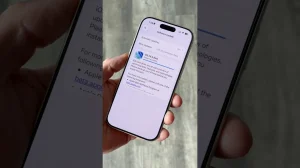
Go to the official Android 17 beta sign-up page and use your Google account to log in. After you log in, the page will show you ‘Your Eligible Devices’ – the phones it thinks it supports that are linked to your account.
Agree to the conditions and confirm that you want to sign up. Then, on your phone, open Settings, go to System, then Software Update and look for the Android 17 beta version. Don’t download and install it until you’ve saved all your important stuff.
Practical considerations before enrolling in the beta
Remember that beta versions are versions of the software before they are officially released and so will probably have errors, apps that don’t work with it, and issues with the battery or how fast it runs. Back up your data and be prepared to go back to the stable version if you need to. You can usually cancel your enrollment, but you might have to completely wipe your phone and start over to get back to the normal version.
Signing up for the beta is often limited to certain areas and is controlled by Google. If your phone isn’t listed, it will still get Android 17 eventually, through an update from the phone’s maker, but not during this early test period.
What the wider beta rollout means for timelines and users
When more phone makers are involved, the final release generally comes out sooner because the makers can fix issues that are specific to the phone’s hardware or your wireless carrier earlier on. This reduces the amount of time between when Google releases the official version and when you get the update for your phone.
For most people, the main thing to remember is to be patient. If you want a phone that just works, wait for the official update from your phone’s maker. But, if you want to use the new features early and don’t mind the occasional problem, the Android 17 beta will let you try it out and give your opinions.
In general, this wider beta test for Android 17 shows that Google is working with the phone companies more closely during testing this year. If you want to be one of the first to try it, keep checking the Android 17 sign-up page and your phone’s settings, and always save your data before installing.