Word on the street is that Apple is putting a stop to built-in DVD capabilities in macOS 27. For those with a lot of old media, this could be a change in how you use your Mac. The update is due out in the fall and will see the end of in-house DVD tools, leaving you to other software for your viewing needs.
It seems like we are at the last version with any kind of built-in support. The DVD Player app and the framework behind it are being done away with. You can still plug in an external drive, but the OS won’t have the means to run it. Then there are options like VLC to fill in.
What is changing in macOS 27 Golden Gate
The way of the future for Apple is more about what you can stream or put in the cloud; optical discs are no longer the centre of attention. Some say the DVDPlayback side of things has been left to rot for years, with image and performance to show for it.
In short, you won’t be able to just put in a DVD and have it work on 27. You’ll have to turn to something else. If you want to be sure you can get to your movies down the line, the advice is to digitise them.
Performance and design upgrades
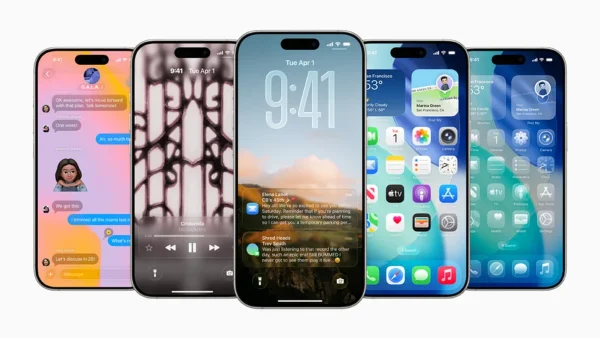
But it’s not all about what they’re taking away. There is a new look to Golden Gate with the Liquid Glass style, and a slider if you want to put your own spin on the windows and UI. On top of that, you’ll find some AI-driven changes in the system.
Then there is the matter of speed. Apple says you can expect up to a 30 per cent boost in how fast apps open, 80 per cent for AirDrop, and as much as five times the pace when you are moving files to an external hard drive.
Compatibility and rollout
There’s also a platform change to be had. In six years, this is the first time a new macOS will leave Intel Macs in the dust; it’s for Apple Silicon only. Apple hasn’t made an official statement on the DVD front, but all signs point to it happening.
How to prepare your media
Got a good number of discs? Here is what to do:
– Put on a good DVD player, VLC is a safe bet
– An external drive will do the job
– Make a digital copy of your library for the long haul
– Check that you have an Apple Silicon Mac before you make the move
Why it matters now
You used to be able to pop in a disc and go with zero fuss. Without that, it’s a bit of a hurdle for the home archivist or pro with some review material. Apple doesn’t seem to see the point in propping up an old framework when there are other ways to do it.
It’s where the industry has been heading for a while. Most of us are into streaming and downloads these days, and the optical drive is an afterthought. It fits with Apple’s idea of a more streamlined, cloud-based machine.
So you can wait and see what happens with the final release of Golden Gate this fall. But if you are one of those who can’t live without their discs, get your house in order now so the new update doesn’t get in the way of how you like to watch and store things.