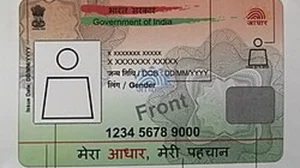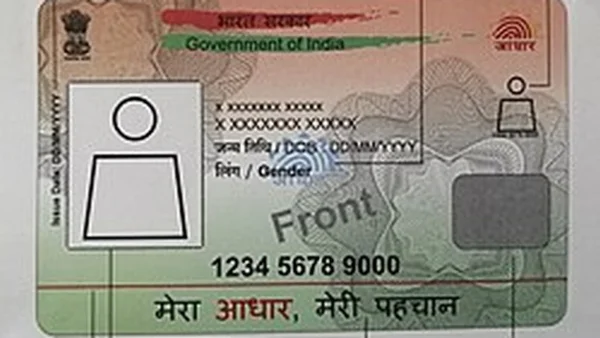
This is part of a wider transition in India’s digital identity space. UIDAI has put the old platform on the path to retirement-though they won’t say when exactly-and is steering users toward an app that has been re-engineered from the ground up. You can find it on both Android and iOS already.
Key privacy and security features
The reason for the cull? UIDAI will have it that the old mAadhaar was simply past its prime. The one we have now is built to fit in with the Digital Personal Data Protection Act, with privacy at the heart of it and only what’s necessary put on the table for verification.
What this signals for India’s digital stack
If you are one of the millions who turn to Aadhaar for your banking, government work or as an ID, this should make things a bit easier while you are better protected. It is also in keeping with a larger effort to put some modernity into our public infrastructure and do away with the need for so many paper IDs.
What you will notice right off the bat is the QR-based sharing. It lets you get verified without having to put your full Aadhaar number on display. You can share just what is called for at the time and leave the rest behind.
They have also put in face authentication, biometric locks and the ability to verify offline. According to UIDAI, it is a quicker, more secure affair than what you had before, and the new look of the app is available in 13 of the country’s languages.
Selective sharing and age verification
Then there is the Selective Share feature. It is up to you to put forward your name, photo, age, or address. That kind of control is handy when you don’t want to be over-sharing at a hotel or hospital. And if a place just needs to know you are of age, the app can produce a Verified Age token. No date of birth, no Aadhaar number.
Migration steps and deadlines
There is a catch, though: anything you have in mAadhaar is not going to follow you to the new app. Once you have it from the app store, you will have to build your profile from scratch.
For anyone planning the switch, here is a compact guide to get started:
– Ensure your Aadhaar has a registered mobile number
– Download the Aadhaar app on Android or iOS
– Create a PIN or enable biometric unlock
– Verify the registered mobile number via OTP
– Add your Aadhaar and complete OTP verification
– Add up to five family profiles if needed
You will have to verify with an OTP on your registered phone and, in some cases, do a face scan to get in. From there you can set a PIN or use your fingerprint. If you have a family, you can have up to five profiles on a single device.
UIDAI is not mincing words: don’t put it off. When the time comes and the old app is switched off, it will be done. They are touting this as a move to simpler, safer verification that is in step with where India’s privacy rules are heading.
You can see for yourself in their latest posts; they have even put up a how-to on signing in. The bottom line is to get on the new app before you run into any hiccups.
For the user, it means you can have better privacy without it being a bother. For the person at the counter, the QR and selective options are meant to make their job of checking you in smoother. There is no set date for the end of the road for the old app, which is why you might want to make the one-time re-setup now. As UIDAI sees it, the new flow is just cleaner and more secure.